مقالات المدونة مكتوبة باللغة الإنجليزية. باقي الموقع متاح بلغتك.
Monitoring
Website uptime monitoring for agencies: catch real outages, skip false alarms
How agencies should set up website uptime monitoring for client sites: what to check and how often, how to confirm an outage from more than one location, and how downtime connects to SEO.
بقلم Editorial team··قراءة في 6 دقائق·حُدّث في
Website uptime monitoring checks a site from outside at a fixed interval and alerts you when it stops loading, so you hear about an outage before your client does. For agencies, good monitoring means checking each client's key pages every minute, confirming failures from more than one location, and alerting once with the cause.
This guide covers what to monitor, how to avoid false alarms across dozens of client sites, and how uptime links to SEO.
In this guide
What website uptime monitoring checks
How to set it up for client sites in 6 steps
How to confirm a real outage
How downtime affects SEO
Common monitoring mistakes
What does website uptime monitoring check?
Website uptime monitoring checks whether a page loads, whether DNS resolves, and whether the SSL certificate is valid, each on its own schedule. A strong setup also checks what the page says, because a site can return 200 OK while showing a blank page or a database error.
Here is a sensible schedule for one client site:
Check
How often
What it catches
Home page and 2 critical URLs load
Every minute
Server down, 5xx errors, timeouts
Page content looks normal
With each page check
Blank page, error text or maintenance page served as 200
DNS resolves
Every 5 minutes
Expired domain, broken records
SSL certificate
Every 6 hours
Expiry, wrong hostname, broken chain
Response time
With each page check
Pages much slower than the site's usual speed
The critical URLs are the pages that earn money or leads: pricing, checkout, a booking form. Monitor them with a plain page load. Never let a monitor submit forms or place orders.
How to set up website uptime monitoring for client sites
Set up monitoring the same way for every client so alerts mean the same thing across your whole roster.
List the sites and owners. One row per client site, with who to call and who at the agency is on point.
Choose the critical URLs. Ask the client which pages cost money when they break. Start with two per site.
Turn on DNS and SSL checks. Certificates expire on a known date, so this is the easiest outage to prevent.
Set confirmation rules. Require at least two locations to agree before an alert goes out.
Add maintenance windows and quiet hours. Planned deploys should not wake anyone, and low priority alerts can wait until morning.
Test it. Point a monitor at a page you control and make it fail on purpose: return a 500, a blank page and an expired certificate. If the alert doesn't arrive, nothing else matters.
How to confirm a real outage, not a blip
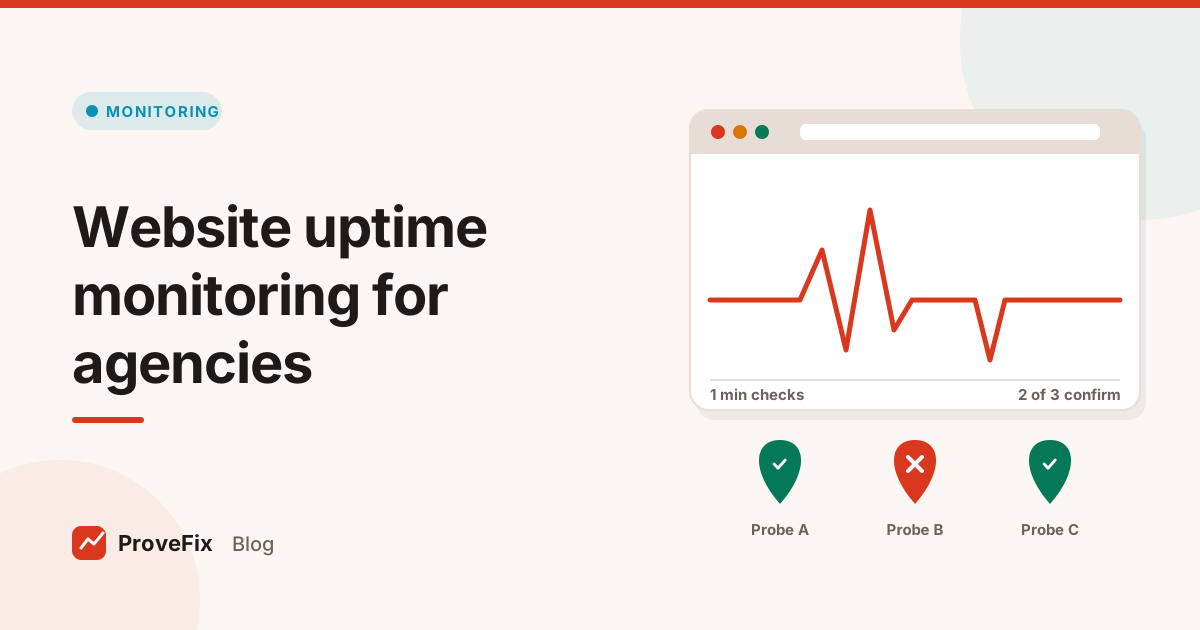
Confirm an outage by checking from a second and third location as soon as the first check fails, and alert only when at least two of three agree. One failed check from one place is not proof the site is down.
Here is how that works in practice, using the platform's Uptime Monitor:
Each minute, one of three probes checks the site, taking turns.
If that check fails, the other two probes check straight away.
If at least two of the three see the failure, it is a confirmed outage and the alert goes out.
The alert names the kind of failure: DNS, SSL, network, server, application or content.
Taking turns costs a third as much as running every probe every minute. The trade off is that each location samples the site every three minutes, which is fine for confirming outages.
When the monitor is the problem
Two cases cause most false alarms, and both have a fix.
A firewall blocks the monitor. The site may send a 403 or a challenge page to the probe while real visitors see the page fine. Report this as "blocked, monitoring blind", never as "down", and give the client the monitor's IP addresses to allow.
One probe breaks. If many unrelated sites fail from one probe at the same moment, suspect the probe and hold the alerts.
How website downtime affects SEO
Short outages rarely leave a mark on search, but long or repeated server errors do. When Googlebot meets 5xx errors or timeouts, it slows its crawling of the site. If errors last, URLs can start to drop from the index.
The status code you return during trouble matters. A 503 tells search engines the problem is temporary, and Google's page on how HTTP status codes and network errors affect Search explains how it treats 5xx and 429 replies. A maintenance page served with 200 is worse: it can look like your real content.
Situation
Search impact
What to do
A few minutes of 5xx
Usually none
Fix and note the cause
Planned maintenance
Low if handled well
Return 503 with Retry-After
Errors for days
Crawling slows, URLs can drop
Treat as critical and escalate
200 OK with an error page
Error text may be indexed
Detect content, not just status
Expired SSL certificate
Visitors see a warning and leave
Renew before the last 14 days
A worked example
Here is an example of how a well set up alert reads. A client's checkout URL starts returning 502 at 02:14. Probe A sees it first. Probes B and C check within seconds and also see 502. The alert reads: "Checkout returning 502, confirmed from 3 of 3 locations, server error type, started 02:14." The on call developer restarts the application, and a recovery notice follows at 02:31.
Compare that with a basic setup. One probe times out at 02:14 because of a routing issue near its data centre. It fires an alert at once. Someone wakes up, opens the site, finds nothing wrong, and starts ignoring alerts. The next real outage gets missed.
What should an agency tell a client during an outage?
Tell the client three things as soon as an outage is confirmed: what is down, what you are doing about it, and when they will hear from you next. Short and early beats complete and late.
A simple message pattern works for most agencies:
First notice: "Your checkout page has been returning a server error since 02:14, confirmed from three locations. Our developer is on it. Next update by 03:00."
Updates: send one at the promised time, even if the news is "still working on it".
Recovery notice: "The checkout page is back as of 02:31. Cause: a failed plugin update. We have rolled it back."
Follow up: within a day, a short note on what will stop it happening again.
Keep a record of each outage with its start, end, cause and fix. That record becomes the incident history in your monthly client SEO report, and it shows the client their site is being watched, not just visited once a month.
Agree the rules with each client up front: who gets alerts, at what hours, and which pages count as critical. A local bakery and an online store with overnight orders need different answers.
Common website uptime monitoring mistakes
These are the mistakes that make agencies stop trusting their alerts.
Monitoring only the home page. The home page is often cached. Checkout can be broken while the home page loads.
Trusting status codes alone. A 200 with a blank page is still an outage for the visitor.
Alerting on one failed check. Always confirm from a second location.
No recovery notice. Without one, people keep checking a site that is already back.
Forgetting certificates and domains. These expire on known dates and are the easiest outages to avoid.
Keeping uptime separate from SEO work. An outage and a dropped page are often the same story. The platform is built to send confirmed outages into the same Fix Tracker as SEO issues, so one team sees both. Read more on running that flow in client SEO report guide.
الوسوم
uptime monitoring
website monitoring
agencies
ssl
dns
أسئلة وأجوبة
How often should an uptime monitor check a website?
Every minute is the common standard for the home page and a few critical pages, such as checkout or a booking form. DNS can be checked every few minutes and the SSL certificate a few times a day, because those change slowly.
Why do uptime monitors send false alarms?
Most false alarms come from trusting a single failed check from a single location. A network blip near the probe, a firewall challenge or a slow reply can look like an outage. Confirming from at least two locations before alerting removes most of them.
Does website downtime hurt SEO?
Short outages rarely matter. Google retries, and a 503 tells it the problem is temporary. Long or repeated server errors make Google crawl less and can drop URLs from the index over time, so fast detection and recovery matter.
What status code should a site return during maintenance?
Return 503 Service Unavailable, ideally with a Retry-After header. It tells search engines the downtime is temporary. Serving a maintenance page with a 200 status can make Google treat that page as your real content.
What should an agency uptime alert include?
The site and URL, the type of failure (DNS, SSL, network, server, application or content), the locations that confirmed it, when it started, and a recovery notice when it ends. That lets the person on call act without opening five tabs.