Website crawler: how to run an SEO audit crawl | ProveFix
Nuestros artículos del blog están escritos en inglés. El resto del sitio está disponible en tu idioma.
Technical SEO
How to use a website crawler for an SEO audit
A website crawler reads every page of a site the way a search engine does. Learn the settings that matter, how to read the results tab by tab, and the mistakes that turn a crawl into noise.
Por Editorial team··6 min de lectura·Actualizado el
A website crawler is a program that starts at one page, follows every link it finds, and records what each URL returns, just as a search engine bot does. For an SEO audit you point it at the site, choose a polite speed and a URL limit, let it finish, then read the status codes, directives, canonicals, titles and links it collected.
This guide shows you how to set up a website crawler for an audit, what each part of the results tells you, and the mistakes that waste a crawl.
In this guide
How a website crawler works
Settings to choose before you crawl
How to run an SEO audit crawl in 7 steps
How to read the results
Common crawling mistakes
How does a website crawler work?
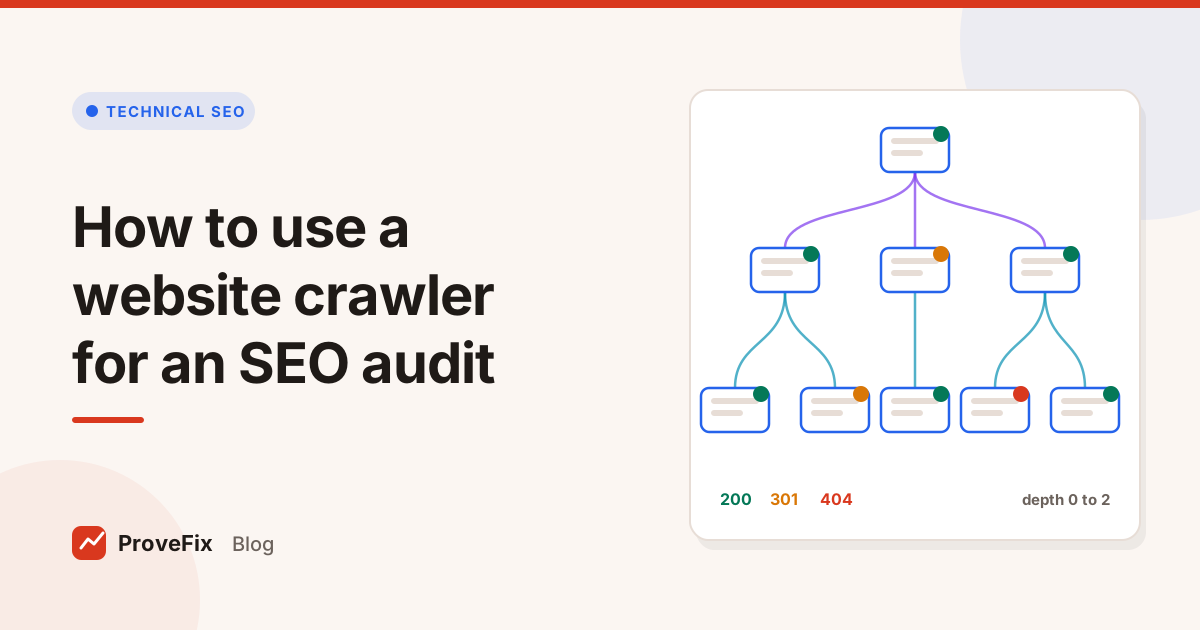
A website crawler works by keeping a queue of URLs to visit. It takes the next URL, fetches it, saves what the server returned, pulls out the links, and adds any new internal links to the back of the queue. It repeats until the queue is empty or a limit is reached.
A careful crawler also reads robots.txt and the XML sitemaps first, because both shape what it should visit. Once the crawl is done, it works out three numbers for every page:
Crawl depth: how many clicks the page sits from the start URL.
Inlinks: how many internal links point to it.
Orphan candidates: pages found in the sitemap that no crawled page links to.
These three numbers tell you more about site structure than any diagram.
Website crawler settings that matter for an SEO audit
The settings that matter most are speed, URL limit, scope and robots.txt handling. Get those four right and the rest can stay on defaults.
Setting
Sensible starting point
Why it matters
Speed
2 requests per second
Protects small servers; raise it only for sites you know can take it
Slow down on 429 and 503
On
These replies mean "too many requests" or "unavailable for now"
URL limit
Big enough for the site, with a cap
Stops endless filter and calendar URLs from eating the crawl
Scope
The one subdomain you are auditing
Keeps blog, shop and app subdomains as separate audits
robots.txt
Obey
Shows you what Google is allowed to see
Timeout
About 20 seconds
Long enough for slow pages, short enough to flag them
Redirects followed
Up to 10
Lets you see full redirect chains and loops
URL parameters
Strip tracking parameters
Stops one page being crawled as hundreds of variants
Include and exclude
Regex rules
Skips logout links, carts and internal search
Two notes on robots.txt. If the file returns a server error, stop and report it, because Google treats that as the whole site being blocked for a while. If it returns a 404, crawling is allowed. The Google robots.txt guide explains what the file can and can't do.
How to run an SEO audit crawl in 7 steps
Follow these steps in order so the crawl answers the audit's questions instead of burying you in rows.
Check robots.txt and the sitemap by hand. Open both in a browser. Note any blocked folders and how many URLs the sitemap lists.
Pick the start points. Use the home page, and add the sitemap so pages with no links still get fetched.
Set speed, scope and limit. Start slow on a host you don't know.
Add exclude rules for carts, logout links, internal search results and calendar pages.
Run a short test crawl of about 100 URLs. Look for parameter loops or a sudden flood of near identical URLs, then fix the rules.
Run the full crawl and watch the found, done, failed and blocked counts as it runs.
Export and sort by the tabs below, then move findings into tickets.
How to read website crawler results
Read the results tab by tab, from the problems that block many pages to the ones that affect a single page. Each tab is a filter on the same URL table.
Status codes
Start here. Sort by 5xx, then 4xx, then 3xx. A 5xx on a key template is urgent. A 404 matters when internal links still point to it. A redirect matters when it is part of a chain, ends on an error, or is linked from your own menus.
Directives
Look for noindex in the meta robots tag and in the X-Robots-Tag header. Then ask one question for each: is this page meant to be out of search? An unexpected noindex on a product template is one of the most costly mistakes a site can make.
Canonicals
Filter for missing, multiple, pointing elsewhere and pointing to a bad URL. A canonical that points to a 404 or a redirected URL sends a confusing signal about which page to index.
Titles, descriptions and headings
Filter for missing and duplicate first. Treat "too long" and "too short" as guidance, since Google sets no fixed limit and rewrites snippets when it likes.
Links and sitemaps
Check broken internal links, pages with very high depth and pages with no inlinks. Then compare the crawl with the sitemap: pages in the sitemap but not found by crawling are orphan candidates, and pages found by crawling but missing from the sitemap may need adding.
Images
Missing alt text, large files and broken images live here. Fix the broken ones first.
A worked example
Here is an example of how one crawl reads. Say you crawl a 4,800 URL site and see 4,100 pages return 200, 520 return a 301 and 180 return a 404. That 301 count looks alarming, but sorting by inlinks shows most come from one menu link to an old category path. Updating that single menu link removes hundreds of internal redirects at once. The 404 list, sorted by inlinks, then shows which dead pages still get traffic from your own links. Those go first.
The lesson: sort every list by inlinks or by template before you count it. Counts alone mislead.
How often should you crawl a website?
Crawl a full site at least weekly while you are actively working on it, and after every large release or migration. Between crawls, check the high risk files, robots.txt and the sitemap, more often.
The reason is comparison. A single crawl tells you what is broken today. Two crawls a week apart tell you what changed: a section that lost its titles, a folder that started returning 404, a template that dropped its canonical. Keep each crawl, label it with the date and any deploy, and compare the counts per tab. A sudden jump in any filter is the first thing to investigate.
Common website crawler mistakes
Most crawl problems come from settings, not from the site.
Crawling too fast. You slow the site for real visitors and may get blocked, which hides the data you came for.
No URL limit. Faceted filters can create millions of URLs. Always cap the crawl and watch for repeating patterns.
Ignoring JavaScript. If pages look blank, the site may build its content in the browser. Check one page with rendering before you report missing titles.
Mixing subdomains. A blog on another subdomain is a separate audit with its own robots.txt.
Pretending to be Googlebot. Some firewalls treat a fake Googlebot as an attack. Use a named crawler and ask the host to allow it.
Crawling once. One crawl is a snapshot. Comparing crawls over time is what shows you a template change or a lost section.
Where the platform fits
the platform is building a website crawler that runs on its servers and shows results in the browser, so there is nothing to install. It is designed with the defaults above: 2 requests per second, slowing on 429 and 503, obeying robots.txt and a 100 URL cap for sites whose owner has not been verified. The results feed the SEO Issue Checker, which turns crawl data into a ranked list of problems with proof. To decide which of those problems to check first, use our technical SEO audit checklist.
Etiquetas
website crawler
seo crawler
seo audit
technical seo
Preguntas y respuestas
What does a website crawler do?
A website crawler starts at one URL, downloads the page, finds the links on it and follows them until it has visited the whole site or hits a limit. For each URL it records the status code, title, description, headings, canonical, robots directives and links. That data is the raw material for a technical SEO audit.
Is it safe to crawl a website?
Crawling your own or your client's site is safe when you use a polite speed, obey robots.txt and slow down when the server returns 429 or 503. Start at about 2 requests per second on a small or shared host. Only crawl sites you own or have permission to audit.
How long does a website crawl take?
It depends mostly on speed and size. At 2 requests per second, 500 URLs take about 4 minutes, 5,000 URLs about 42 minutes and 100,000 URLs about 14 hours. Slow servers, large pages and redirects add time.
Why does my crawl show fewer pages than the site has?
Usually because pages are not linked from anywhere the crawler can reach, links are built with JavaScript, robots.txt blocks a folder, or you hit the URL limit. Add your sitemap as a second starting point and compare the two lists to find orphan pages.
Do I need JavaScript rendering for an SEO crawl?
Only if the site builds its content or links in the browser. Check one page with rendering off: if the title, main text or navigation links are missing, turn rendering on for that template. Otherwise a plain HTML crawl is faster and accurate.