हमारे ब्लॉग लेख अंग्रेज़ी में लिखे गए हैं। साइट का बाकी हिस्सा आपकी भाषा में उपलब्ध है।
Technical SEO
Internal linking strategy: a practical guide for real sites
A good internal linking strategy helps search engines find your pages and helps readers find the next useful one. Learn how to map hub pages, fix orphans, write anchors and add links that last.
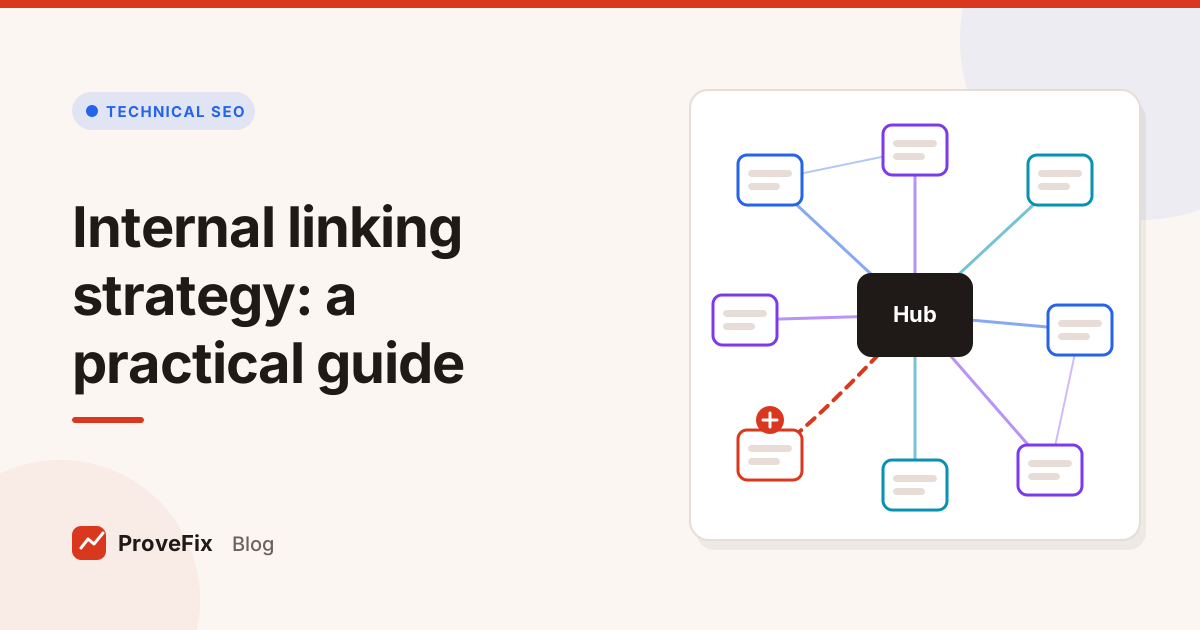
An internal linking strategy is a plan for how the pages on your site link to each other, so search engines can find and understand every important page and readers always have a clear next step. In practice it means linking related pages together, pointing more links at the pages that matter most, using anchor text that describes the target, and leaving no useful page without links.
This guide shows you how to build one in seven steps, with a worked example and the mistakes that waste the effort.
In this guide
- Why internal links matter
- The parts of an internal linking strategy
- How to build one in 7 steps
- How to find good link opportunities
- Common internal linking mistakes
Why does an internal linking strategy matter?
An internal linking strategy matters because links are how search engines discover pages and how they read the relationships between them. A page with no internal links is hard to find. A page with many relevant links from related pages is easier to find and easier to understand.
Links also guide people. A reader who finishes a guide and sees a clear link to the next step stays on the site. A reader who hits a dead end leaves.
Google's link best practices say two things worth remembering: links need to be real <a> elements with an href that crawlers can follow, and anchor text should describe the page it points to.
The parts of an internal linking strategy
A complete internal linking strategy has four parts: a map of your most important pages, a hub and spoke structure around each topic, clear anchor text rules, and a routine for checking links over time.
| Part | What it means | Example |
|---|---|---|
| Priority pages | The pages that earn money, leads or most traffic | Service pages, top category pages |
| Hubs | One strong page that covers a topic broadly | A complete guide to roof repair |
| Spokes | Narrower pages that cover one part of the topic | Roof repair cost, flat roof leaks |
| Anchor rules | How you word links | Describe the target, vary wording |
| Maintenance | Regular checks for broken links and orphans | After every crawl |
Hubs link to every spoke. Spokes link back to the hub and to their closest siblings. Priority pages get links from every relevant hub and spoke, not only from the main menu.
How to build an internal linking strategy in 7 steps
These seven steps work on a 50 page site and on a 50,000 page one. On a large site, work one section at a time.
- Crawl the site. Record every page, its internal links in and out, the anchor text and its click depth. Our guide to using a website crawler for an SEO audit covers the settings.
- List your priority pages. Ask the client which pages matter to the business. Then check how many internal links each one gets.
- Find orphan pages. Compare the crawl with the XML sitemap. Pages in the sitemap that no crawled page links to are orphan candidates.
- Group pages by topic. Pick a hub for each topic, or write one if it is missing.
- Map the links you need. For each spoke, note the link to its hub and to one or two siblings. For each priority page, note the related pages that should link to it.
- Add links inside the body copy. Put each link in a sentence where it helps the reader, with anchor text that names the target.
- Fix and re-crawl. Repair broken links, update links that hit redirects, and crawl again to confirm the new links are there.
How to find good internal link opportunities
The best internal link opportunities are passages on one page that already talk about the topic of another page. You are not inventing a reason to link. You are connecting what the copy already says.
Three quick ways to find them:
- Search your own site for the target's main topic and note pages that mention it without linking.
- Sort pages by inlinks. Priority pages with very few inlinks are the first to fix.
- Check deep pages. Pages more than a few clicks from the home page often need a link from a hub.
On a big site this gets slow. That is the problem the platform's Internal Link Suggester is designed for. It uses the crawler's link graph to see existing links and pages with few inlinks, then finds passages on related pages where words that name the target already appear. Each suggestion shows the source page, the target, the suggested anchor, the passage it would sit in, the target's role and a confidence level. Nothing changes on the site without approval, and it makes no ranking promises.
How to write internal link anchor text
Write internal link anchor text that tells the reader exactly what they will find on the other side, in words that fit the sentence. Good anchors are usually three to six words and name the target page's topic.
| Anchor | Verdict | Why |
|---|---|---|
| click here | Weak | Says nothing about the target |
| this article | Weak | Vague, gives no topic |
| flat roof repair | Good | Names the topic clearly |
| how we repair flat roofs | Good | Describes the page and reads naturally |
| best cheap flat roof repair near me roofing | Bad | Stuffed with keywords, reads like spam |
Three habits help:
- Link the words that name the topic, not a whole sentence.
- Vary the wording across pages that link to the same target.
- Match the promise. If the anchor says "repair costs", the target should actually cover costs.
The same rules apply to image links: the alt text of a linked image acts as its anchor, so describe it well.
How an internal linking strategy fits into publishing
An internal linking strategy works best as a habit built into publishing, not a one off clean up. Every new page should leave the editor with links out to related pages and at least two links in from older ones.
Add two lines to your publishing checklist: "link to the hub and one sibling" and "add this page to two related older pages". On a busy blog that alone stops orphans from piling up.
A worked example
Here is an example of the steps on a small site. Say a roofing company has 60 pages. A crawl shows the "flat roof repair" service page, its biggest earner, gets only two internal links, both from the menu. Meanwhile, five blog posts mention flat roofs in their body copy without linking anywhere.
The fix takes an afternoon:
- Add a link from each of the five posts, inside the sentence that mentions flat roofs, using anchors like "our flat roof repair service" and "how we repair flat roofs".
- Make the "roof repair guide" the hub and link it to every repair page.
- Link the service page back to the two most relevant guides, so readers who want detail can find it.
A re-crawl confirms the service page now has eight contextual inlinks, and no new broken links appeared.
Common internal linking mistakes
These mistakes cancel out a good internal linking strategy.
- Linking only from menus and footers. Contextual links in body copy say more about how pages relate.
- Generic anchors. "Click here" and "read more" tell nobody where the link goes.
- Identical anchors everywhere. Vary the wording so it reads naturally.
- Linking to redirects. Update links to point at the final URL.
- Nofollow on internal links. It blocks crawl paths to your own pages for no gain.
- Linking for the sake of it. A link that doesn't help the reader on that sentence is noise.
- Setting it once. New pages arrive as orphans unless linking is part of publishing. Add "link from two related pages" to your on page SEO checklist.
टैग
- internal linking
- site structure
- anchor text
- orphan pages
सवाल और जवाब
What is an internal linking strategy?
An internal linking strategy is a plan for which pages on your site link to which, and with what anchor text. It makes sure important pages get links from related pages, no page is left without links, and readers can always find the next useful page.
How many internal links per page is too many?
Google has no fixed limit, so judge by the reader. If links are relevant and help someone go deeper, keep them. If a page is a wall of links with no context, trim it. A normal article with two to five links in the body is a sensible habit.
Should internal link anchor text use exact keywords?
Use anchor text that describes the target page clearly. That often includes its main topic, which is fine. Avoid using the identical keyword phrase on every link to a page; natural variation reads better and still tells search engines what the page is about.
What is an orphan page?
An orphan page is a page that no other page on your site links to. Search engines may still find it through a sitemap, but it gets little internal link value and readers can't reach it by browsing. Link to it from related pages or remove it.
Do nofollow internal links help SEO?
No. Adding nofollow to your own internal links doesn't save anything and can stop crawlers from following paths to your own pages. Leave internal links followed, and keep pages out of search with noindex instead.