Keyword cannibalization: find and fix it | ProveFix
Technical SEO
Keyword cannibalization: how to find and fix it with real data
Keyword cannibalization is when your own pages compete for one query and take turns ranking. Learn how to confirm it with real data and choose the right fix for each case.
By Editorial team··4 min read·Updated
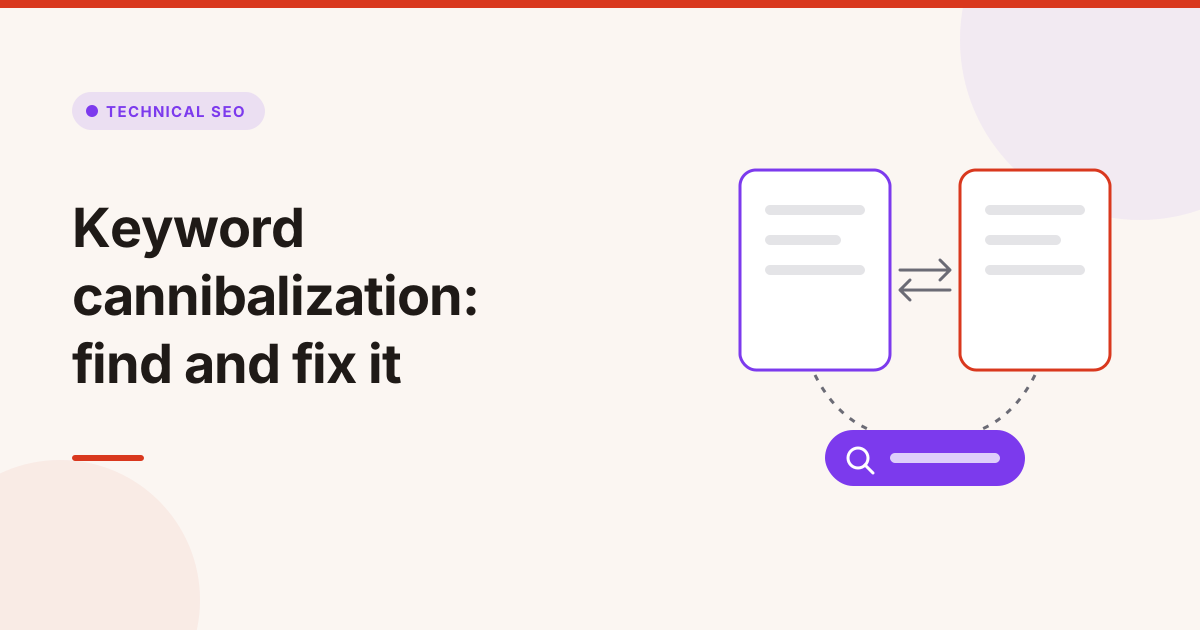
Keyword cannibalization happens when two or more pages on your site compete for the same search query, so Google keeps switching between them and neither ranks as well as one strong page could. It is a query problem, not a text problem, and you confirm it with search data rather than by comparing pages by eye.
This guide explains how to find keyword cannibalization, how to tell real cases from false alarms, and how to fix each kind.
In this guide
What keyword cannibalization is, and what it is not
Signs of keyword cannibalization
How to find it with real data
Four ways to fix it
How to prevent it on new content
What is keyword cannibalization?
Keyword cannibalization is when several of your URLs target the same query with the same intent, so they split clicks, links and relevance signals. The usual symptom is a ranking that swaps between two of your pages week after week.
It is just as important to know what it is not:
Similar text alone is not cannibalization. Two pages can share whole paragraphs and still serve different queries. Overlap in wording is a reason to look, not proof.
Two pages ranking together can be fine. If both appear on page one for a broad query, you may be winning more space, not losing it.
Different intents are not competing. A "how to choose a crawler" guide and a crawler tool page serve different searchers, even though both mention crawling.
Signs of keyword cannibalization
The clearest sign of keyword cannibalization is one query showing two or more of your URLs in Search Console, with each page's position going up as the other's falls.
Look for these patterns:
Signal
What it looks like
How strong
URL flipping
The ranking page for a query changes from week to week
Strong
Split clicks
Two pages each get a share of clicks for the same query
Strong
Stalled rankings
A page sits at position 8 to 15 while a sibling holds similar content
Medium
Wrong page ranking
An old post ranks instead of the page built to convert
Medium
Shared titles
Several pages use nearly the same title and H1
Weak on its own
How to find keyword cannibalization with real data
Find keyword cannibalization by starting from queries, not pages. Pull query and page data together, then look for queries that send impressions to more than one of your URLs.
Export query and page data from Google Search Console's Performance report for the last 3 months.
Group by query and keep the queries where two or more URLs get impressions.
Compare positions over time. Real cases show the URLs taking turns, not ranking side by side.
Read both pages. Decide whether they truly answer the same need or two different ones.
Check overlap in the content itself. Put the two pages side by side in Competitor Page Compare: it works on any two URLs, including two of your own, and shows the headings, sections and topics they share. Treat the overlap as a lead to confirm with query data, never as proof on its own.
Four ways to fix keyword cannibalization
The right fix for keyword cannibalization depends on whether the competing pages should exist separately. Pick one winner per query, then use one of these four moves.
1. Merge and redirect. When two pages answer the same need, combine the best parts into the stronger URL and send the weaker one there with a 301 redirect. This is the most effective fix for true duplicates.
2. Differentiate the intent. When both pages deserve to exist, rewrite one to serve a distinct need. Change its title, H1, headings and examples so it clearly targets a different query.
3. Use a canonical tag. When near-duplicate pages must stay live, for example product variants, point the duplicates to the main version with a canonical tag. Remember that Google treats it as a strong hint, not a command.
4. Fix internal links. Point your internal links for the query at the winning page, with descriptive anchor text. Mixed internal signals often cause the flipping in the first place.
Situation
Best fix
Same intent, both pages thin
Merge and 301 redirect
Same topic, different needs
Differentiate titles and content
Near-identical variants that must stay
Canonical tag to the main version
Right content, mixed signals
Point internal links at the winner
How to prevent keyword cannibalization
Prevent keyword cannibalization with one simple rule: one primary keyword per URL. Keep a keyword map that lists every page and its target query, and check it before you publish anything new.
Search your own site first. Before writing, search Google for site:yourdomain.com plus the keyword to see what already exists.
Update instead of duplicating. If a page already covers the topic, improve it rather than writing a second one.
Split by intent, not by synonym. "SEO checker" and "SEO audit tool" usually share one intent and belong on one page.
Track it as a ticket. Turn each confirmed case into a task in the Fix Tracker, with the queries and URLs attached, and re-check rankings once the fix ships.
Keyword cannibalization is real when Search Console shows your own pages taking turns on one query. Confirm it with data, pick one winner, then merge, differentiate, canonicalize or relink. Run the same checks as part of your on page SEO checklist so new pages never start the problem.
Tags
keyword cannibalization
search console
content strategy
rankings
Questions and answers
Is duplicate content the same as keyword cannibalization?
Not quite. Duplicate content is about repeated text, while keyword cannibalization is about several pages competing for the same query. Similar text is a reason to check query data, not proof of cannibalization.
How do I check for keyword cannibalization?
Export query and page data from Google Search Console and look for queries that send impressions to two or more of your URLs. Real cases show those URLs taking turns in the rankings over time.
Should I always merge cannibalizing pages?
No. Merge and redirect when both pages answer the same need. When each page serves a different intent, differentiate the titles and content instead, and point internal links at the right page.
Can a canonical tag fix keyword cannibalization?
Sometimes. A canonical tag helps when near-identical pages must stay live, such as product variants. Google treats it as a strong hint, so internal links and sitemaps should agree with it.